The Fold · The complete guide · 14 min read
AI packaging design: how it actually works
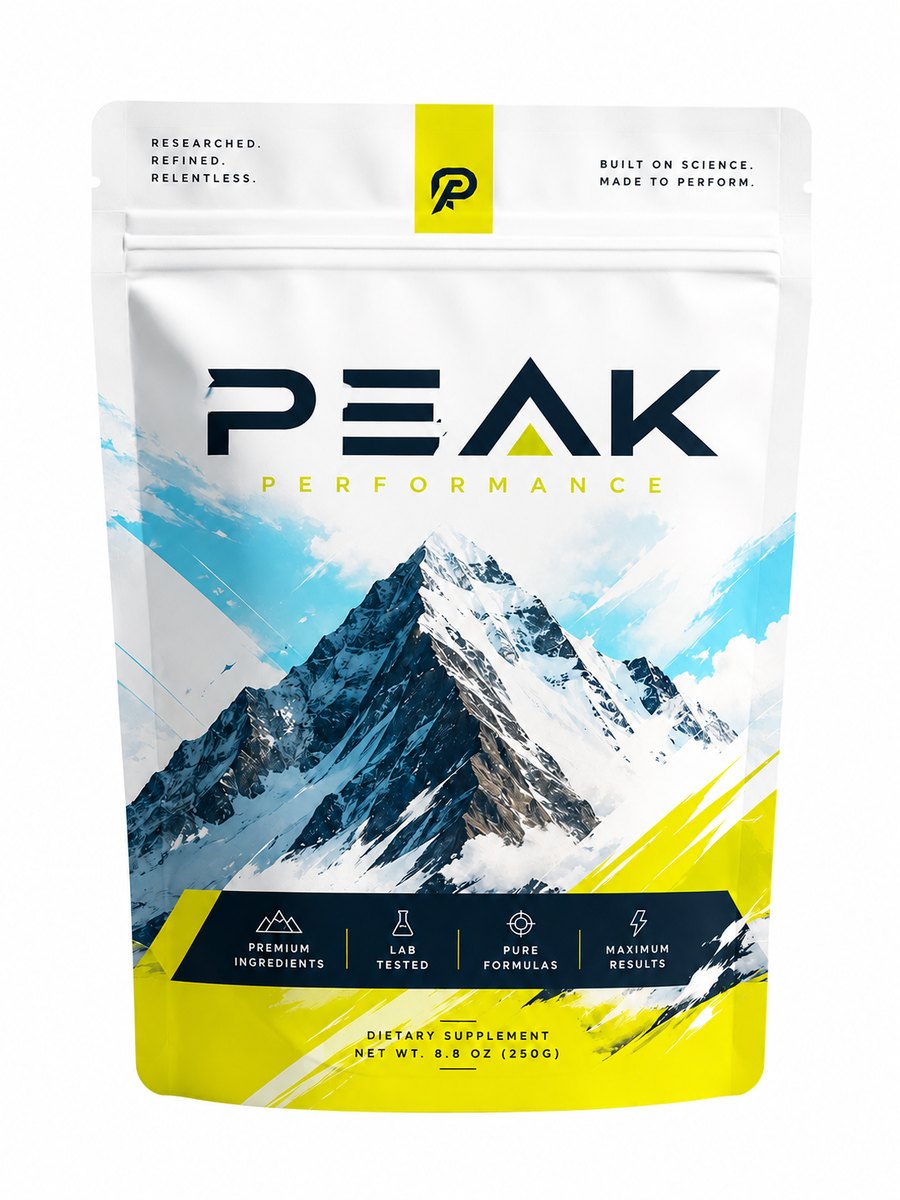
We manufacture packaging for a living, so we see AI packaging design from the end almost nobody writes about: the printer. Every week a founder sends us a gorgeous AI image of a pouch or a box and asks us to make it. Usually we can’t — not the way they hope. The picture is beautiful; the barcode under it is decorative nonsense that won’t scan, the ingredients panel is misspelled, and there’s no dieline beneath any of it.
That gap — between an AI image of a package and a package you can actually manufacture — is the whole reason this guide exists, and the reason we built TWOFORM. What follows is the honest version of how AI packaging design works in 2026: what it’s genuinely great at, how much of the work you can hand it — up to designing the entire package — the one rule that keeps it manufacturable, how the design canvas lets you place your real assets whenever you want, and how all of it becomes a file a factory can actually run.
What “AI packaging design” actually means
The phrase gets used two very different ways, and the difference is everything.
The first is what most people have tried: typing a prompt into a general image generator and getting a rendering of a package — a photorealistic mockup sitting on a marble countertop. It looks finished. It is not a package. There’s no dieline, the “text” is smeared, and nothing about it can be sent to a printer.
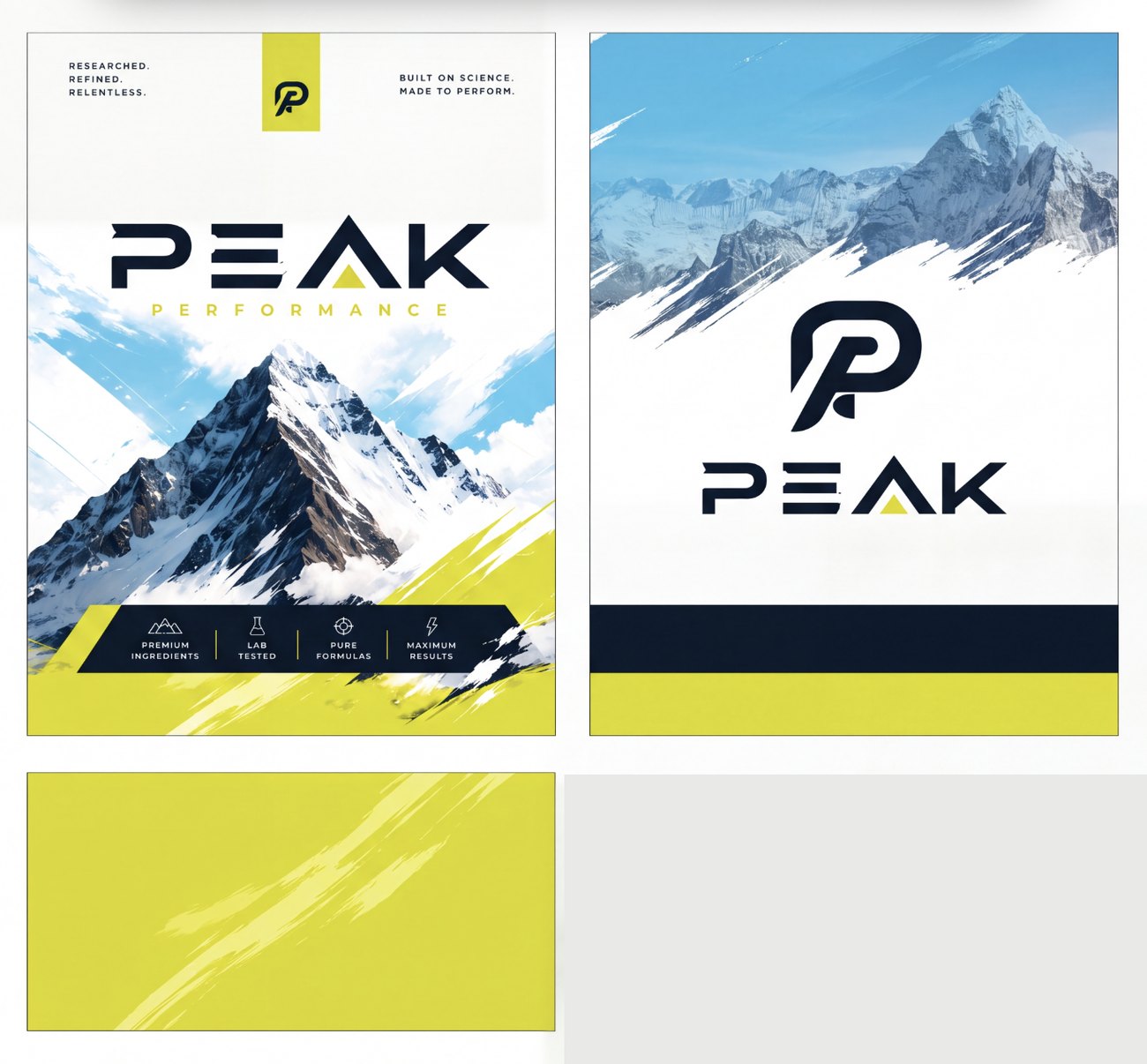
The second is the useful one: AI packaging design as a manufacturable design. Here the AI generates the decorative artwork, that artwork is mapped onto a real production dieline sized to your exact dimensions, and your actual assets — logo, barcode, nutrition, legal — are placed on top and kept exact. The output isn’t a picture of a package. It’s the package, as a file a factory can run.
Ask one question of any AI packaging tool: “Can I download the dieline and hand it to a printer?” If the answer is a flat image or a mockup, you got a rendering. If it’s a print-ready dieline with bleed, fold lines and glue flaps, you got a design.
The one idea that makes AI packaging design work: let AI do as much as you want — but keep the exact stuff exact
Here’s the part people get wrong, and it’s worth getting right. AI can design as much of your package as you want — from just the background all the way to the entire package, composed and finished. What it can’t do is be exact. Generative models produce things that look plausible, not things that are precise — and a handful of things on every package have to be precise, or the package fails.
So think of it as a dial for how much of the design you hand to the AI:
Hand it your details and a direction, and it composes the entire thing — background, layout, hierarchy, your logo worked into the art. The fastest way to a finished-looking package.
It builds the artwork and integrates your real logo where it looks best; you add the rest of your copy and assets on the canvas.
AI makes the decorative surface and you place every element yourself, exactly where you want it. The most control.
Anything that has to be exact or scannable stays your real asset — placed and kept precise, never hallucinated. That’s your barcode/UPC, QR codes, nutrition and supplement facts, warnings and legal copy, and your real logo. AI can design around them beautifully; it just doesn’t invent them.
Why those few things stay real, concretely:
- A barcode is data, not a drawing. An AI-generated barcode encodes nothing real — it fails scan verification at the printer, and a case of product that won’t scan at the register is a recall waiting to happen.
- Compliance text is legally exact. Supplement facts, FDA nutrition panels, and regulated-product warnings have mandated wording and formatting. A hallucinated version isn’t a typo, it’s a regulatory failure.
- Your logo is your logo. Redrawn by a model, it comes back with the wrong proportions and off-brand colors. That’s a brand violation, not a design.
- AI “text” is gibberish glyphs. It isn’t real letters, isn’t editable, isn’t vector, and isn’t print-ready.
Placed assets are the opposite of all that: vector-sharp, registered to the dieline, scannable, legally correct, print-ready. So the honest, durable way to do AI packaging design is to let AI take the design as far as you want — even the whole package — while the few things that must be exact stay real. Everything below is built on that one idea.
How it works, step by step
Here’s the full workflow, the way it actually runs at TWOFORM.
- Pick what you’re making and its exact size. A mylar pouch, a folding carton, a corrugated mailer, a rigid box, a label. The moment you enter your dimensions, a real production dieline is generated — the true template, not a stock graphic.
- Start the design one of three ways. Describe it to Sam (our in-house AI designer), bring an AI image you already made, or design from scratch — and decide how much you want AI to handle, from the entire package down to just the background. More on both below.
- AI generates the artwork on the dieline. The background, patterns and color land on the actual panels, already sized with bleed and safe zones correct — not a mockup floating in space.
- Place your real assets on the canvas. Drop in your logo, barcode, QR codes, nutrition and legal copy exactly where you want them — now, or later. This is the step nobody else takes seriously, so it gets its own section below.
- Preview it in 3D and add finishes. Fold the flat dieline into the real structure on screen and check it from every angle; add foil, spot UV, embossing or Pantone matches.
- Download it, or have it made. Export the print-ready dieline (SVG/PDF with bleed and glue flaps) and take it to any printer — or order it in one click and the same company manufactures and ships it. Your call, not ours.
The three ways to start a design
There isn’t one “right” way in, because people arrive with different things in hand. So there are three, and you can mix them.
- Describe it in a prompt. Brief Sam in plain English — “matte black coffee pouch, hand-drawn mountain range, warm cream accents” — and get real concepts back, mapped onto your dieline. Best when you have a vibe but no art yet.
- Bring an AI image you already made. If you already generated something you love in ChatGPT, Gemini, Midjourney or DALL·E, drop it in and it becomes the artwork on a real dieline instead of a dead-end picture. Best when you’ve already found a look you’re attached to.
- Design from scratch. Skip generation entirely and build it yourself on the canvas — your art, your layout, your assets, on the real dieline. Best when you have brand assets and know exactly what you want.
The reason there’s more than a prompt box is simple: describing an entire package in words is limiting. A sentence can’t place your logo two millimeters below the zipper or put the QR code on the back-bottom panel. That’s what the canvas is for.
The design canvas: place your real assets, exactly where you want — even later
This is the part that turns AI packaging design from a novelty into something you can actually ship, and it’s the part most tools skip. Even if you let AI design the whole package, the canvas is where you take the wheel — place anything you kept for yourself, and lock every exact asset in place.
You don’t have to have everything ready up front. Generate the background you love first. Then, whenever you’re ready — the same session or days later — open the canvas and start placing: your logo, product name, ingredients, nutrition or supplement facts, warnings and legal copy, barcode/UPC, QR codes, lot and date codes. Drag them onto any panel, scale and rotate them, layer them over the artwork, and snap them to the fold lines and safe zones.
Because these are placed as real, registered assets — not regenerated pixels — three things stay true that never survive a “regenerate and pray” workflow:
- Your barcode still scans, because it’s your real barcode, sitting on its own clean plate.
- Your legal copy stays word-for-word correct, because you placed the exact text, not an AI’s impression of it.
- Your logo stays your logo — right proportions, right Pantone, vector-crisp at any size.
That “later if you want” matters more than it sounds. It means you can lock the look while your barcode is still being assigned, or design the whole line now and drop each SKU’s specific facts panel in as it’s finalized. The artwork and the assets are separate layers, so neither one holds the other hostage.
What you can design — and actually manufacture
A real AI packaging design tool is only as good as the range of dielines its engine can build correctly. Here’s what’s on the table — over 500,000 buildable dielines once you count every size each construction can be made at:
- Mylar bags & stand-up pouches — flat, zipper, spout, side-gusset, flat-bottom, quad-seal.
- Folding cartons — real ECMA constructions (tuck-end, auto-bottom, seal-end, snap-lock and more).
- Corrugated boxes & mailers — true FEFCO codes for shippers, mailers and trays.
- Rigid setup boxes — two-piece, magnetic, drawer, book-style, shoulder-neck.
- Labels, koozies and coasters — die-cut labels plus promo formats.
Finishes include foil, spot UV, embossing and Pantone matching. And if you do decide to manufacture, the minimums are category-leading: just 100 units across every custom format — where most bag suppliers won't quote you under 3,000 and folding-carton shops routinely start at 1,000–2,000. You can read exactly how that side works on the manufacturing page.
AI packaging design vs. a generic AI image generator
It’s worth being blunt about this, because it’s the mistake that costs founders the most time.
A generic image generator — ChatGPT, Midjourney, DALL·E, Firefly — is a brilliant idea machine. Use it to explore looks, moods and directions. But its output is a flat picture: no dieline, no editable text, no scannable barcode, no bleed, nothing a printer can run. The moment you want the real product, that picture is a dead end, and rebuilding it from scratch is exactly the work you were trying to avoid.
AI packaging design built for manufacturing keeps the good part — using AI for the artwork — and fixes the dead end. It starts from a real dieline, keeps your assets exact, and hands you a file you can download or order. The generic tool makes a picture of a package. The packaging tool makes the package. The best workflow uses both: dream in the image generator, build in the packaging tool.
What AI packaging design costs
The honest answer: designing is free. You can generate artwork, place your assets, preview in 3D and iterate as much as you want at no cost — the point is to get you to something real before you spend a dollar.
You pay at two moments, both optional and both your choice: when you download the production-ready dieline files (available on any plan and yours to keep, even if you take them to another printer), and if you order manufacturing. Set against the traditional route — a design agency at several hundred to several thousand dollars over two to three weeks, then a separate hunt for a manufacturer — the collapse in both cost and timeline is the whole point.
Who AI packaging design is for (and who it isn’t, yet)
It’s a genuinely great fit if you’re a founder or small brand launching a SKU without a design team; an established brand spinning up variants, seasonal runs or line extensions fast; a designer who wants to skip building dielines and prepping print files by hand; or anyone who has an AI image they love and just needs it made real.
It’s not the right tool — yet — for deeply illustrative, hand-crafted art direction where every millimeter is bespoke, or for structural packaging engineering far outside standard constructions. Be honest with yourself about which one you’re doing. For the large middle of real-world packaging, AI gets you to a manufacturable file faster than anything else; for the rarefied edges, a specialist still earns their fee.
Frequently asked questions
What is AI packaging design?
AI packaging design is using AI to design a physical package — the artwork, and as much of the full composition as you want, up to the entire package — mapped onto a true production dieline, with your real, exact assets (logo, barcode, QR codes, nutrition and legal copy) placed and kept precise so the result can actually be printed and manufactured. The important distinction: a good AI packaging tool produces a manufacturable design, not just a pretty picture of a package.
Can AI design the whole package, or just the background?
As much or as little as you want. At one end, AI composes the entire package — background, layout and your logo worked into the art — the fastest path to something finished. At the other end, AI makes only the background and you place every element yourself for maximum control, with a middle option where AI designs the look and works in your logo. The one constant across all of it: anything that must be exact or scannable — your barcode, QR codes, legal copy and real logo — stays your placed asset, never a hallucination.
Does the AI draw my barcode, logo and text?
It can design around them, but it doesn't invent them. A generative model produces things that look plausible, not things that are exact — an AI-drawn barcode encodes nothing and won't scan, AI 'text' is gibberish glyphs, and a redrawn logo is the wrong proportions and colors. So even when AI designs the whole package, your real barcode, QR codes, legal panels and true logo are placed as your actual assets — vector-sharp and registered to the dieline, so they print crisp and still scan.
Can I add my logo and assets later, after I generate the design?
Yes. You don't need everything ready up front. Generate the background you love first, then open the design canvas whenever you're ready — even later — and drop in your logo, barcode, QR codes, nutrition and legal copy exactly where you want them. Move, scale and layer them, snap them to the panels, and they stay exact. Nothing you place is ever regenerated.
How is this different from using ChatGPT or Midjourney?
A general image generator gives you a flat picture of a package: no dieline underneath, melted text, a barcode that won't scan, and nothing a printer can run. AI packaging design built for manufacturing starts from a real production dieline sized to your exact dimensions, uses AI only for the artwork, and keeps your real assets exact — so the file that comes out is an actual, orderable package, not a rendering.
What can I actually make with it?
Mylar bags and stand-up pouches, folding cartons, corrugated boxes and mailers, rigid setup boxes, labels, koozies and coasters — over 500,000 buildable dielines in total. Cartons, pouches, labels and mailer bags are drawn to whatever dimensions you type; corrugated and rigid setup boxes come in standard stock sizes. Finishes like foil, spot UV, embossing and Pantone matching are available throughout.
What does AI packaging design cost?
Designing is free — you can generate, place your assets, preview in 3D and iterate at no cost. You only pay when you download the production-ready dieline files (available on any plan and yours to keep) or order manufacturing. Compared with a traditional design agency, which typically runs hundreds to thousands of dollars over two to three weeks, it collapses the cost and the timeline dramatically.
Does AI packaging design replace human designers?
For a lot of real-world work — a clean pouch, a straightforward carton, a label — it gets you to a manufacturable file without one. For complex brand systems, illustration-heavy work or nuanced art direction, a designer is still worth it; AI packaging design just removes the mechanical parts (building the dieline, keeping assets registered, prepping print files) so the human effort goes into the creative, not the plumbing.
Do I have to manufacture with the same company that designed it?
No. Your production-ready dieline files are yours to download and take to any printer in the world. Manufacturing with the same company is the option that removes the handoff — the designer and the factory are one — but it is never a requirement.
See it do the thing
Generate the artwork, place your real assets, preview in 3D — free. Download it or have us make it.
Start designing freeFounder of TWO Packaging, a U.S.-based custom packaging manufacturer, and of TWOFORM — the studio that turns an AI design into a real, manufacturable package. This guide is written from the factory floor, where the files actually have to run.
Related: AI packaging design makes a great picture — it still can’t make the package · The AI packaging design generator